Airbnb Photography for Hudson Valley Vacation Homes
How to photograph a Hudson Valley Airbnb so guests can see the rooms, layout, amenities and outdoor spaces before booking.
 Justin Feldstein
Founder, Haus Vacation Rentals · Licensed NYS Real Estate Broker
Good listing photos show guests what they are booking. Photograph the rooms and amenities they will use, then arrange the photos so they can understand the layout.
Prepare the rooms
Clean and tidy the home as you would before a stay. Remove personal photos, paperwork and other private items. Use daylight where possible and turn on room lights where they help a space read clearly.
Show the layout and amenities
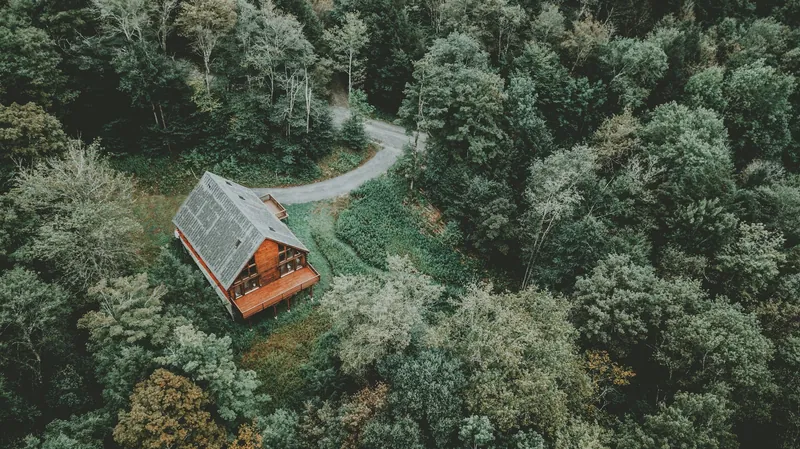
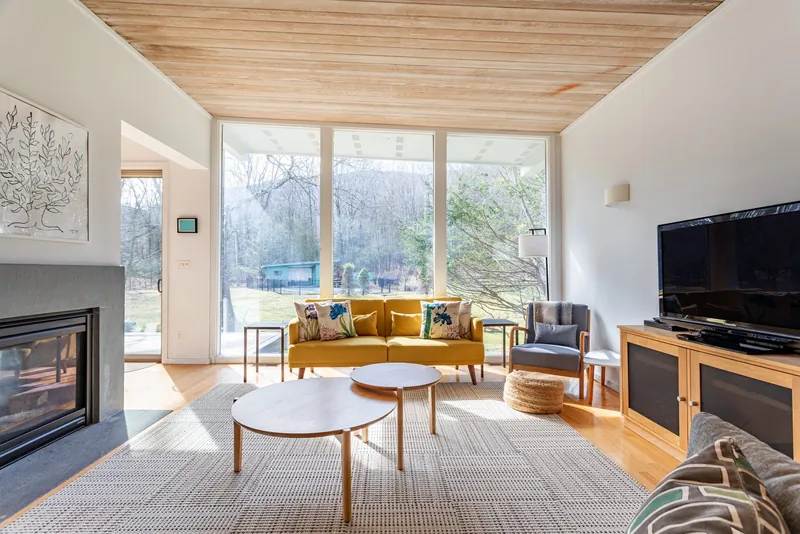
Include bedrooms, bathrooms, the kitchen, living areas and any outdoor spaces guests can use. Show distinctive features such as a fireplace, porch or view, along with practical details such as a stairway or where the group will eat. Use a wide view to orient guests and closer photos where a detail matters.
Choose and edit the photos
Use sharp, well-lit images with consistent color. Choose a cover photo that represents the home accurately, then group photos by room or area. Edit for clarity without hiding wear or making rooms appear larger than they are. Check the booking platform's current photo instructions before uploading.
Working with a photographer
Give the photographer a shot list and tell them which rooms, amenities and access details are important to guests. Haus coordinates photography during onboarding. Ask us about managing your home.